http://dbd.game/killswitch
Is FSR implementation going to be improved?

Unlike other titles, i would say that the DBD implementation of FSR does NOT work at all. I seen on reddit that people made tests with it off/on and its the same.
Since the beginning i was wondering how was this implemented at all, because normally it would allow you to select between different presets (from Uquality to Ultra performance).
I think fixing it would help lots of people who are struggling with the game.

The only upscaler that actually works is Intel XESS, but i think it must be the first version of it because it looks AWFUL even on quality
Comments
-
I have been wondering as well.
Since acquiring a new Radeon card, I'd really want to utilize FSR 4 (or Redstone) for smooth upscaling to 4K2 -
DbD easily has the worst upscaling implementation of any game I’ve played.
XeSS makes everything look horribly muddy with minimal performance gains and FSR makes no difference in terms of performance or visuals. I’m guessing the versions we have in DbD are very early models. They should definitely look into updating them.
3 -
Oh yeah, I activated this at some point. It indeed did nothing and I forgot about it.
5 -
I dont even understand how does it work… it literally does NOTHING
2 -
I might be wrong, but I think in DBD it works a bit differently to most games. While usually you would use presets such as Quality, Balanced, Performance, etc., in DBD you can manually adjust the resolution scale to whatever percentage you want and then FSR (if enabled) will upscale the image with a slightly more advanced algorithm than if you used the resolution slider on its own. So, for example, 67% would be the equivalent to Quality mode, 50% would be Performance, but you can use whatever value you like.
However, bear in mind that this game uses FSR 1.0, which is really not very good and won't give you the kind of upscaling experience that you might expect from DLSS or FSR 4. It is a spacial upscaler rather than a temporal one, so there is no reconstruction of the image or ML-based anti-aliasing.
1 -
The game looks terrible and needs a complete optimization. It should have a 120 Hz mode and offer better visuals, as the devs promised in Oct 2020. Where's the better upscaler? Ray Tracing? Higher resolution? etc.
1 -
FSR works for me.
Big difference. GTX 1650. Have to run at 85% - with FSR it is pretty sharp.
Tried the new Xess and i get better frames but it is a bit blurry. 85% + FSR is much sharper.
1 -
It definitely used to work
I'm not sure when it stopped working but my guys would be when the settings UI got changed ?1 -
How do you see the difference? I read that XeSS better than FSR or default anti-aliasing. I play with ultra graphics settings
0 -
Thats not exactly how it should work.
0 -
FSR is saving grace for my terrible system, but even I can admit that it actually looks terrible in this game.
1 -
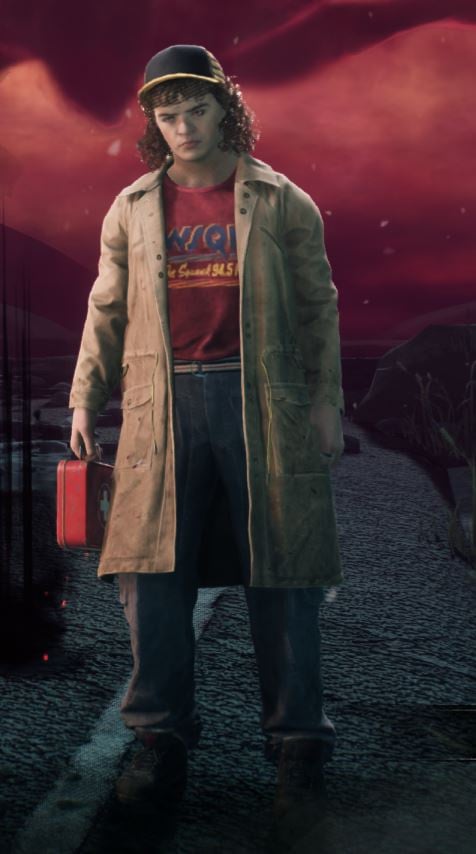
Res 100% - Xess - UltraQuality
Res 85% - FSR
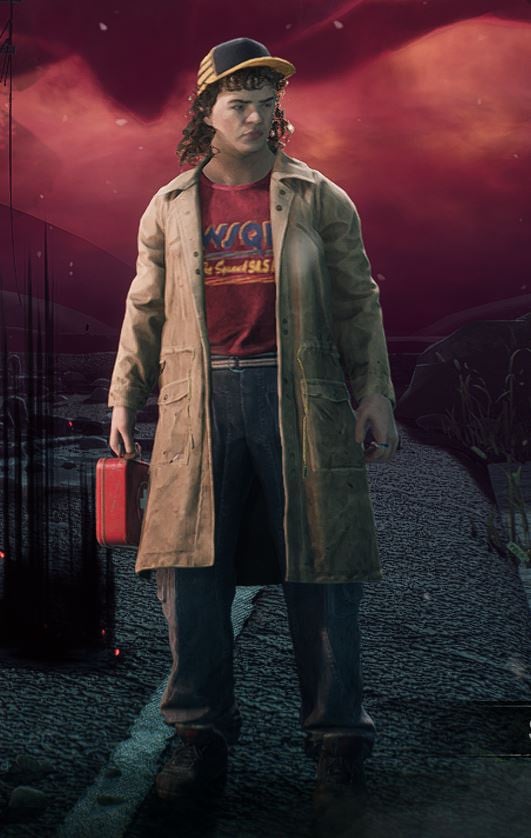
In game FSR looks way more sharper, especially the background.
1 -
Here's hoping they do something about it when they add those Post Processing options they were talking about a couple months ago. 🙏
0