http://dbd.game/killswitch
Help with Nvidia freestyle and scratch marks please?

So I’ve tried a couple times adjusting Nvidia to make the red brighter or just stand out more for scratch marks, does anyone else use it and have a recommended setting to try?
Comments
-
I recommend using ReShade with technicolor + colorfullness the whole game looks fricken fantastic!
3 -
Are there levels like 1–100 or do you go max?
0 -
wait so you are actually trying to legally cheat?
4 -
I'm not at home but I believe for Colorfullness default is .70 I use .15 and technicolor I just increased the red from 51 to 61. I'll check and let you know in a couple hours when home.
Both ReShade and Freestyle are white listed by EAC and have been for like a couple of years.
4 -
yes....hence the "legally" part of my post.
0 -
Well, i am colorblind, and requested a colorblind-mode for about 1,5 years. But the devs say its not a high priority, even though an option to change the color of auras as killer from red to almost anything else would help.
Scratchmarks and blood i can see only on indoor maps, on outdoor maps not at all.
I have to use such an option to be able to see the gen auras as a killer, so i really dont consider it cheating.
Others might have similar problems.
4 -
Is cheating something that is against the rules, or so you have a different definition?
2 -
Thank you I’ll fiddle myself too but I would appreciate your number, no rush!
0 -
Survive with Friends legally cheat with voicechat. I think killers enhancing their colour or sound is just a minor offence here.
4 -
Windows 10 has a few colorblind filters built in, both ReShade & Freestyle have numerous filters that should be able to help at least somewhat
0 -
Usually they're just a week or so behind when there is an update before they get around to verifying. I'm using the latest version available on the reshade.me website
0 -
Ok so I use Colorfullness & Technicolor2
Colorfullness I change from default .40 to .20 and leave the rest default.
&
Technicolor2 I raise the Red to 56 from its default 51 and I lower the strength from the default 1.0 to .750 everything else I leave default.
I keep my monitor at it's default settings for contrast and brightness, and set the color mode to neutral not 'cool' or 'warm' and dynamic contrast and any other stuff disabled.
When I disable them I'm actually shocked at how ugly and dull the game looks it's almost comical.
0 -
Does this help
Crash on startup
- Reshade setup tool has stopped working
From reshade 4.4, the setup tool was updated to .NET Framework 4.8
You need to download the latest .NET Framework version in order to make the setup tool work.
0 -
I play colorblind as well. Severe colorblindness. I can't see scratch marks at all. Blood pools are hard-to-see black spots that I can only really see on The Game. Many maps blend together, so survivors can be right in front of me without moving and I might miss them. I hunt through movement and prediction.
This game does not support colorblind players very well. It is what it is.
0 -
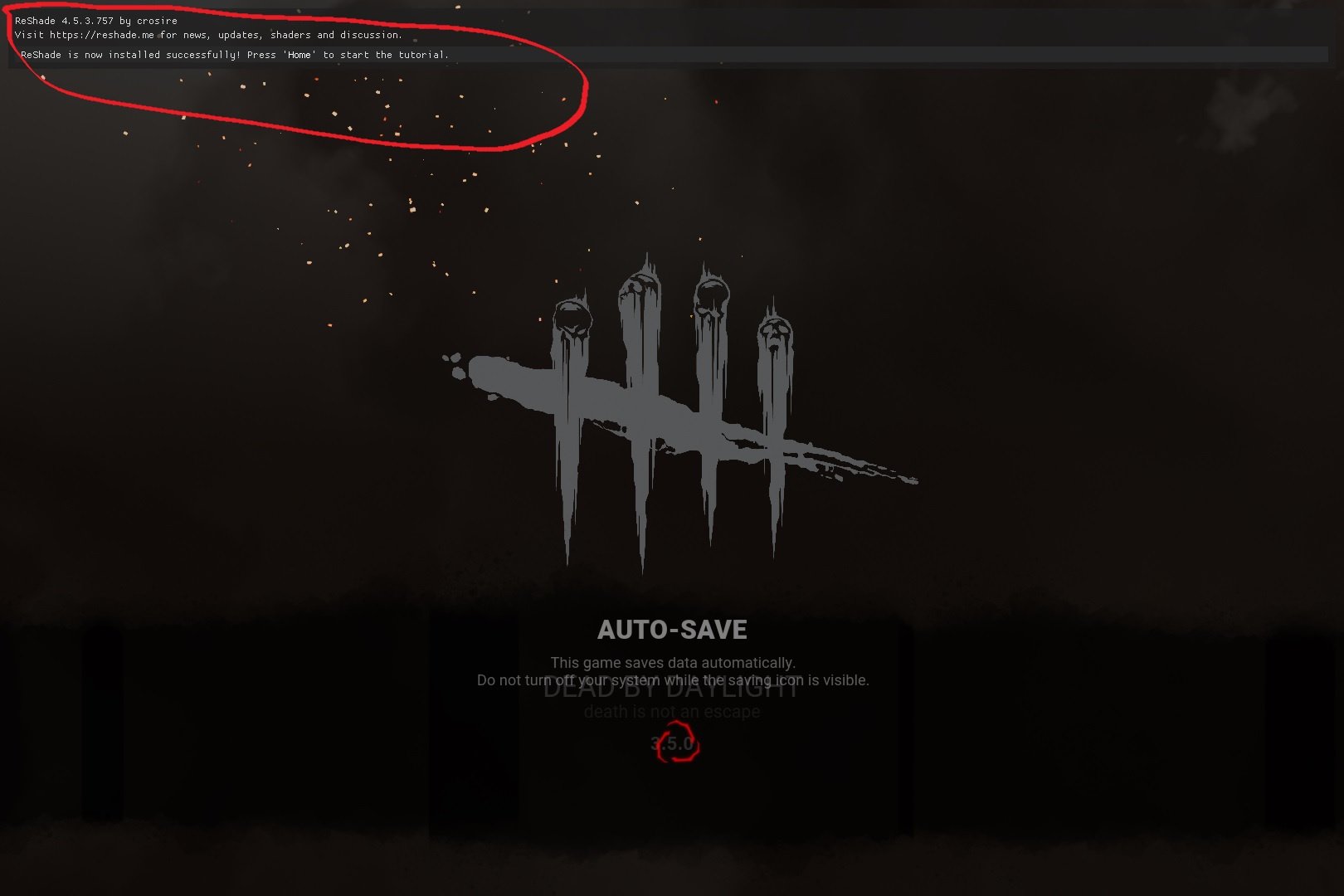
Maybe I'm stupid but i ran the installation but when I open DBD I don't see any options? I watched the you tube I found for it but it just says press home to open the folder but there is no folder
0 -
Ok so I have DBD open first?
0 -
To clarify I install it, open DBD, then install it again?
0 -
Uninstall ReShade completely and I'll re-install mine and take screenshots of the steps to take and I'm sure it's just a matter of missing something that's causing your problem.
I had issues the very first time as well because I didn't understand one part of it and was doing it wrong.
2 -
Thank you I uninstalled it you can DM me if you want
0 -
Uninstall previous ReShade installs.
After that go to: ~Steam\steamapps\common\Dead by Daylight\DeadByDaylight\Binaries\Win64 folder and make sure that the file DefaultPreset.ini is NOT there, if it is delete it.
You want DBD to not be running when you do this.
Run ReShade install and click "select game or application to manage its reshade install"
Find and select: DeadByDaylight-Win64-Shipping (DeadByDaylight-Win64-Shipping.exe)
Click "Direct3d 10/11/12"
Page opens with list of effects leave them all selected and simply click "ok" - It will then download them all which only takes a few seconds.
Now click the top "Edit ReShade settings" button.
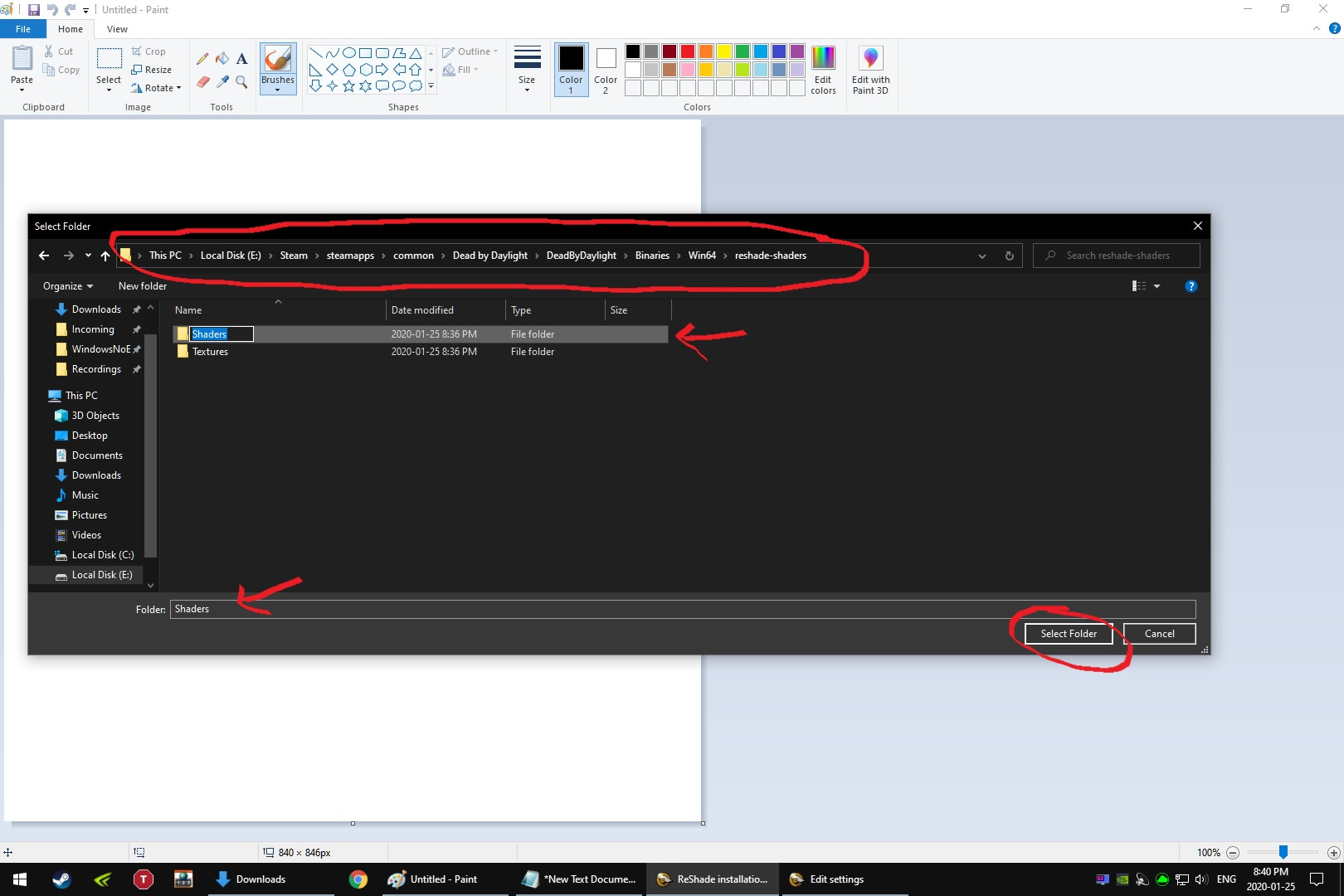
Second line from the the top "Effects Path" click the ... on the far right of that line and a Select Folder box will open, now navigate to the folder ~Steam\steamapps\common\Dead by Daylight\DeadByDaylight\Binaries\Win64\reshade-shaders\ and then click on the Folder "Shaders" that is located there and click "Select folder"
Third line from the top "Textures Path" click the ... on the far right on that line and and a Select Folder box will open, now navigate to the folder ~Steam\steamapps\common\Dead by Daylight\DeadByDaylight\Binaries\Win64\reshade-shaders\ and then click on the Folder "Textures" that is located there and click "Select folder"
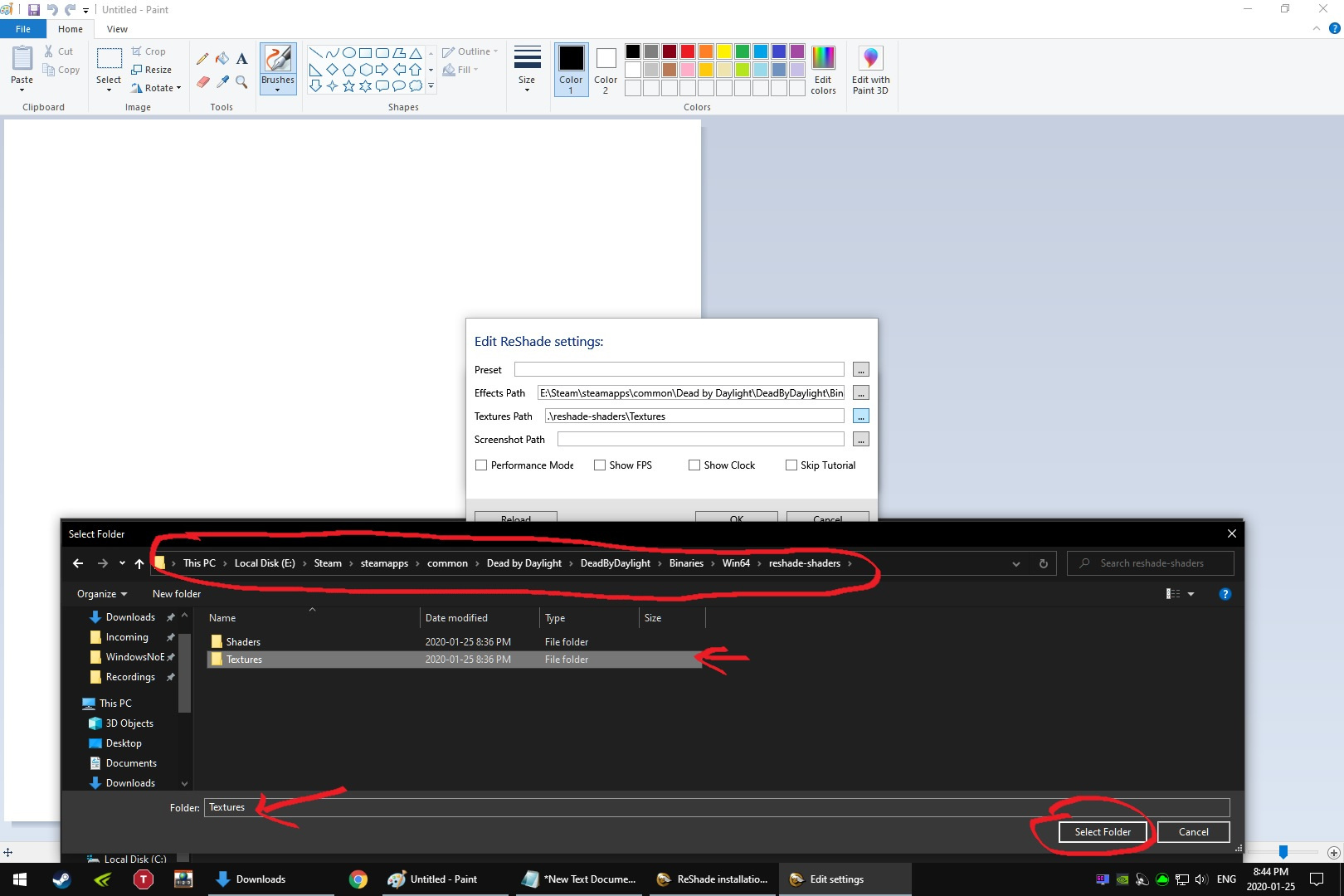
If done correctly it should look like this
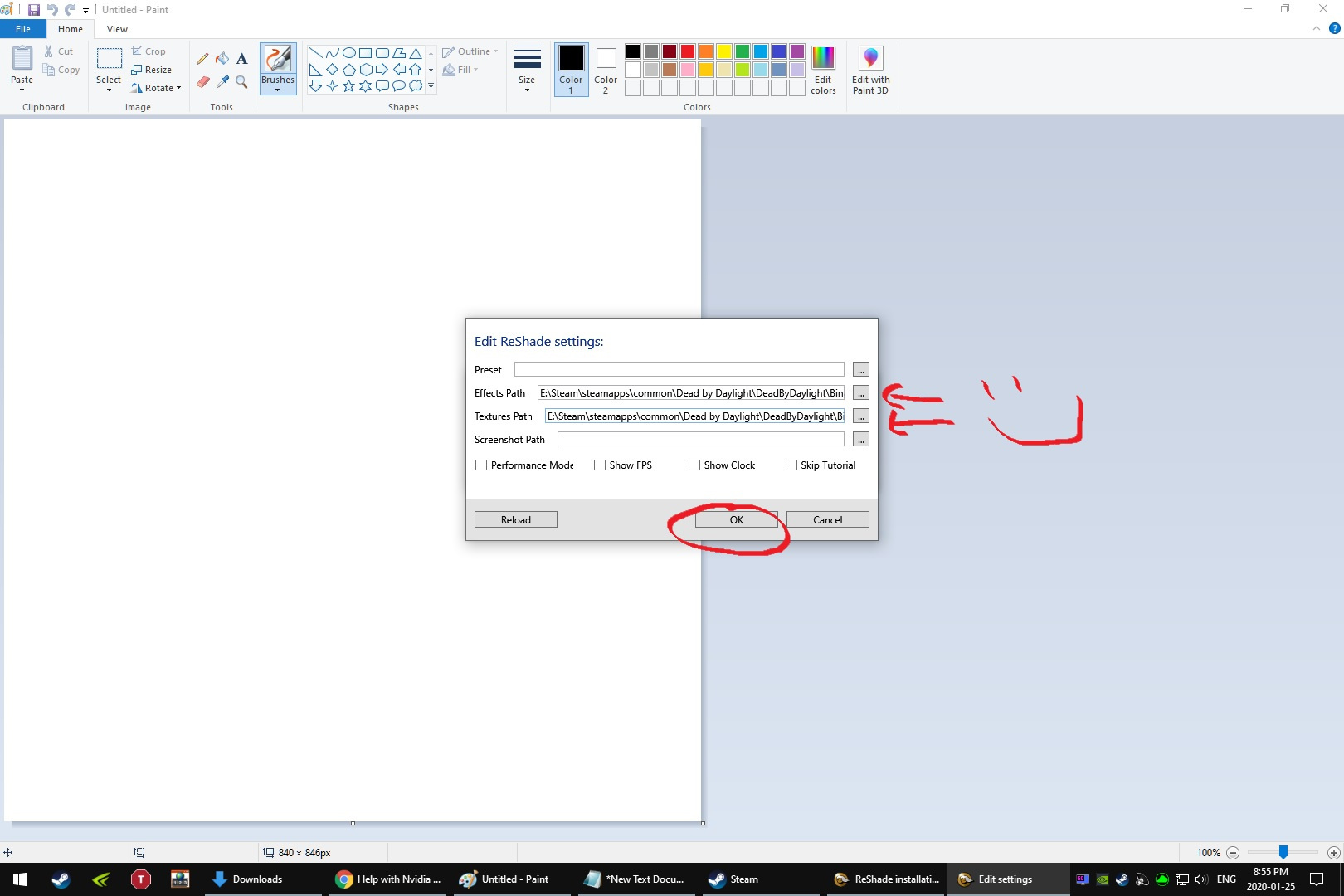
Click Ok. Then you can exit out of the ReShade box and fire up DBD.
 0
0 -
It worked thank you so much!!!
1 -
One quick questions is there a way to toggle it on and off so I can compare it to original DBD quickly?
0 -
Booooo!
0 -
Did you try renaming every "dxgi" file to "d3d11" that is in the folder with deadbydaylight-win64-shipping.exe ?
0 -
Thanks again, played two games as survivor and the scratches are much better especially from a distance.
1 -
Happy to help!
0 -
Maybe DBD's log file has some info, or the reshade logfile. It's gotta be something silly, it almost always is!
0