http://dbd.game/killswitch
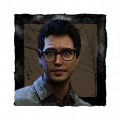
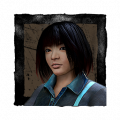
Is the Jill portrait supposed to update already?

Mine is still the old one

Comments
-
🤔sheva
0 -
Legendary cosmetic
0 -
Oh yeah. Maybe take that cosmetic off? Idk ur just special
0 -
Makes no sense, and of course I have already played with Jill, Sheva and Claire
Portrait stayed the same
0 -
You might need to update your cache, if you haven't already tried that.
0 -
How do I do that?
0 -
For DBD, I think you do it by verifying your game files. Right click it in Steam and go Properties > Local Files > Verify Integrity of Game Files.
That said, I haven't had this issue before, so I might be wrong about this being the way to fix it. I know this is a fairly common issue that happens when your computer still has the old image saved and never loads the new file as a result.
0 -
I did the verification and still the same
I cleared the download cache on my steam client, and still the same
I wonder why
0 -
Huh. I'm sorry I can't help more. Hopefully someone with more experience will see this and tell you how to fix it.
1 -
Delete your icons folder. Then when the game relaunches it automatically recreates it. I had the same issue when they updated legion add-ons. It happened to me because i re-downloaded default icons from DBD Icon Toolbox.
0 -
I wish I had the option to go back to the old icons for the RE characters. I don't care for the new ones, particularly Jill's. She looks stern/stoic/badass in the old icon, while in the new icon she looks rather soft/timid/scared, which is not Jill Valentine at all.

vs
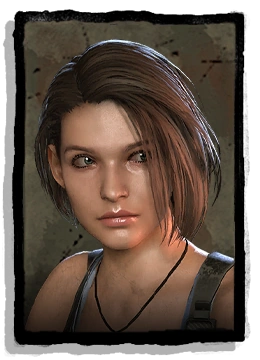 0
0 -
Gonna try that
0 -
Damn she went from stoic and strong to crackhead hella fast.
1 -
Hey, it worked. Thanks!
Do you know if the game has any other updated icons that I might not be aware of?
1 -
You're welcome 😄
Afaik the only other thing they updated was some legion add-on icons. That was in 5.7.0, so around april.
0