Once you have signed in, on the right hand side you can use the "report bug" button to be able to fully report the bug you've encountered. Thank you.
http://dbd.game/killswitch
BRIEF DESCRIPTION OF BUG
SUMMARY OF THE ISSUE: I could not login to game. the error message is "NO NETWORK CONNECTION".
PLATFORM: PC
STEP BY STEP INSTRUCTIONS ON HOW THE ISSUE OCCURED:
I have played one game then return to lobby but couldn't and then I lost game connection.
since I lost game connection. I could not login to.
VIDEO:

PLAYER LOGS:
- Player logs are required from PC players only.
Comments
-
Same here.
SUMMARY OF THE ISSUE: I could not login to game. the error message is "NO NETWORK CONNECTION".
PLATFORM: PC
STEP BY STEP INSTRUCTIONS ON HOW THE ISSUE OCCURED:
Game crashed with an unreal crash message while idling in the lobby. after restarting the game it says no network connection. restarting the pc did not help.
0 -
SUMMARY OF THE ISSUE:
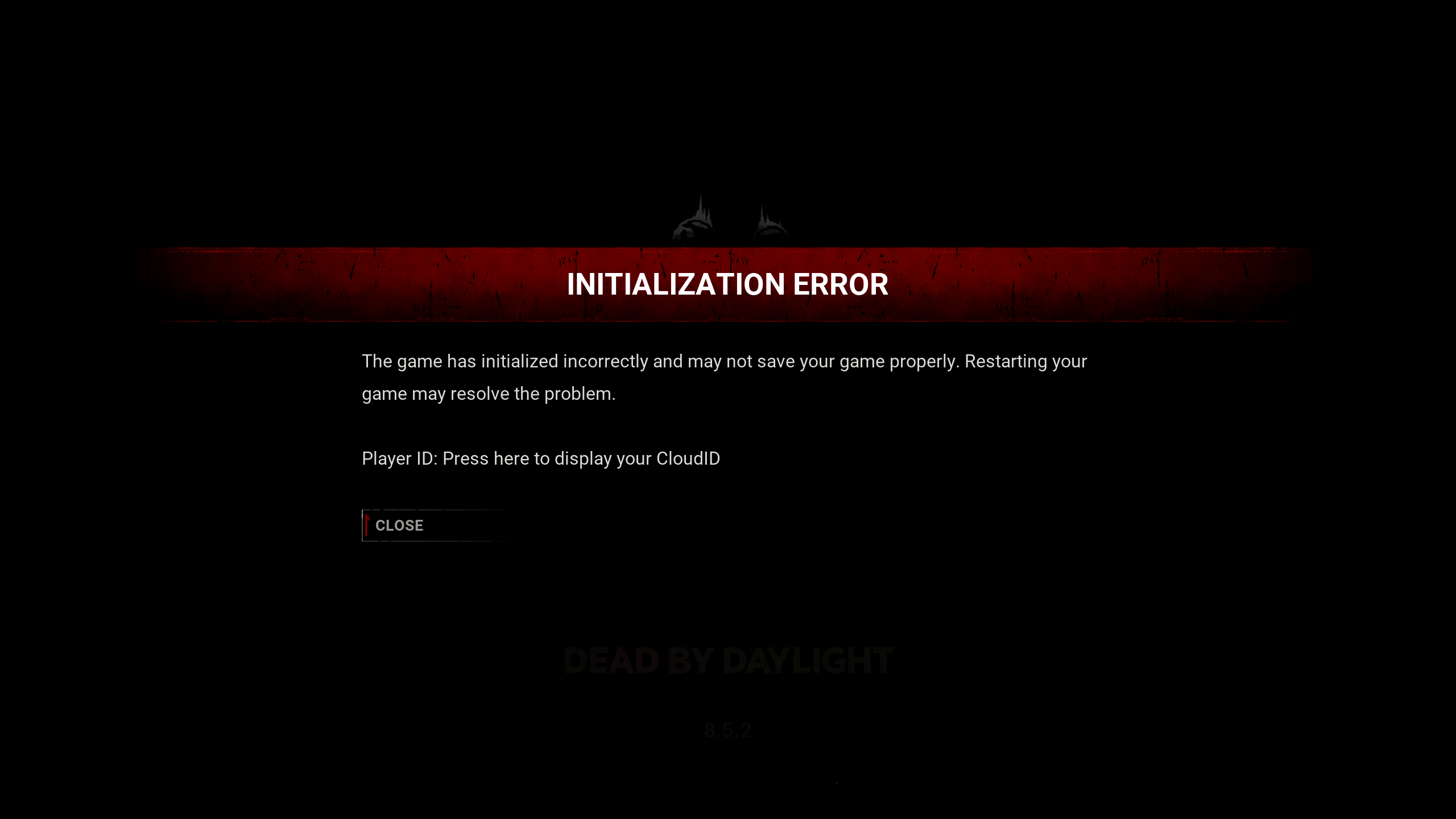
When it's get past the connecting to server the "INITIALIZATION ERROR" shows up.
PLATFORM:
Steam
STEP BY STEP INSTRUCTIONS ON HOW THE ISSUE OCCURED:
Start Game in Steam, wait till Splash Screen ends, press space and wait until syncing friends list.
SCREENSHOT:
VIDEO:
PLAYER LOGS:
0 -
I fixed that INITIALIZATION ERROR by deleting everything else from "C:\Users\"your profile name"\AppData\Local\DeadByDaylight\Saved" than the config folder.
Started fine after that.0