To make a bug report please head over to: https://app.betahub.io/projects/pr-5642738318
Once you have signed in, on the right hand side you can use the "report bug" button to be able to fully report the bug you've encountered. Thank you.
Once you have signed in, on the right hand side you can use the "report bug" button to be able to fully report the bug you've encountered. Thank you.
🎉 The wait is over. Tickets for the Dead by Daylight 10th Anniversary Party are ON SALE NOW! 🎉
https://dbd.game/4rHHkF5
https://dbd.game/4rHHkF5
Can't spend my anniversary points

toukent
Member Posts: 118
SUMMARY OF THE ISSUE:
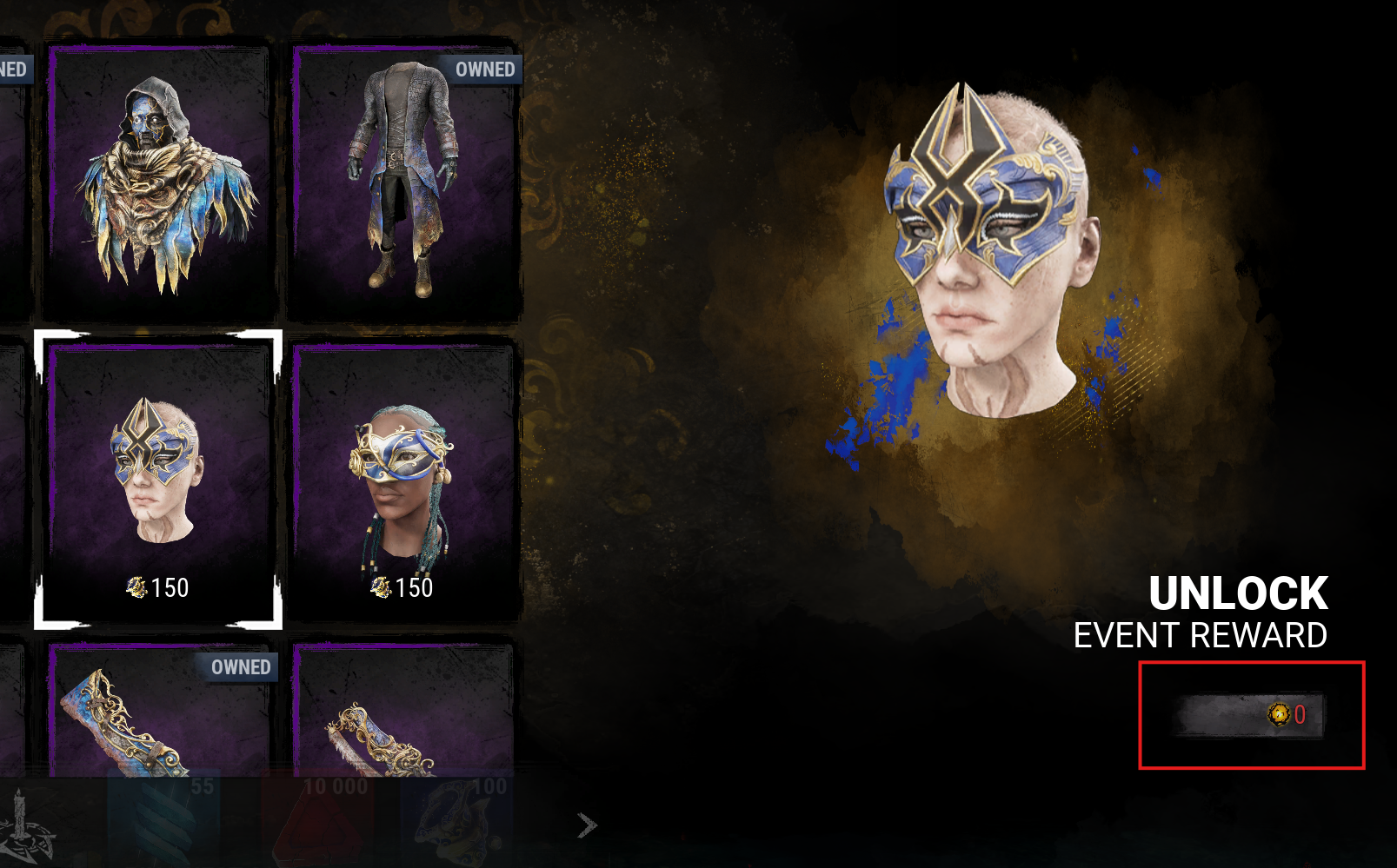
I go to quest page, click go to event, and then I click the button to buy and nothing happens and it has a weird symbol on the button.
PLATFORM: PC
STEP BY STEP INSTRUCTIONS ON HOW THE ISSUE OCCURED:
I go to quest page, click go to event, and then I click the button to buy and nothing happens and it has a weird symbol on the button.
VIDEO:
PLAYER LOGS:
- Player logs are required from PC players only.
1
Comments
-
I am having a similar problem on PS5. I cannot spend Gilded Trinkets to purchase event items.
0 -
+1 this post. I've had this issue for about a week now. Menu appears normal, however the button to spend, that usually shows the event points required, is replaced with 0 auric cells. Can't spend any event points. Issue highlighted in attached photo. On PC Myself.
 0
0