http://dbd.game/killswitch
What happened to the UIs scale for Higher resolutions?

I own two 2560x1440 (2K) monitors.
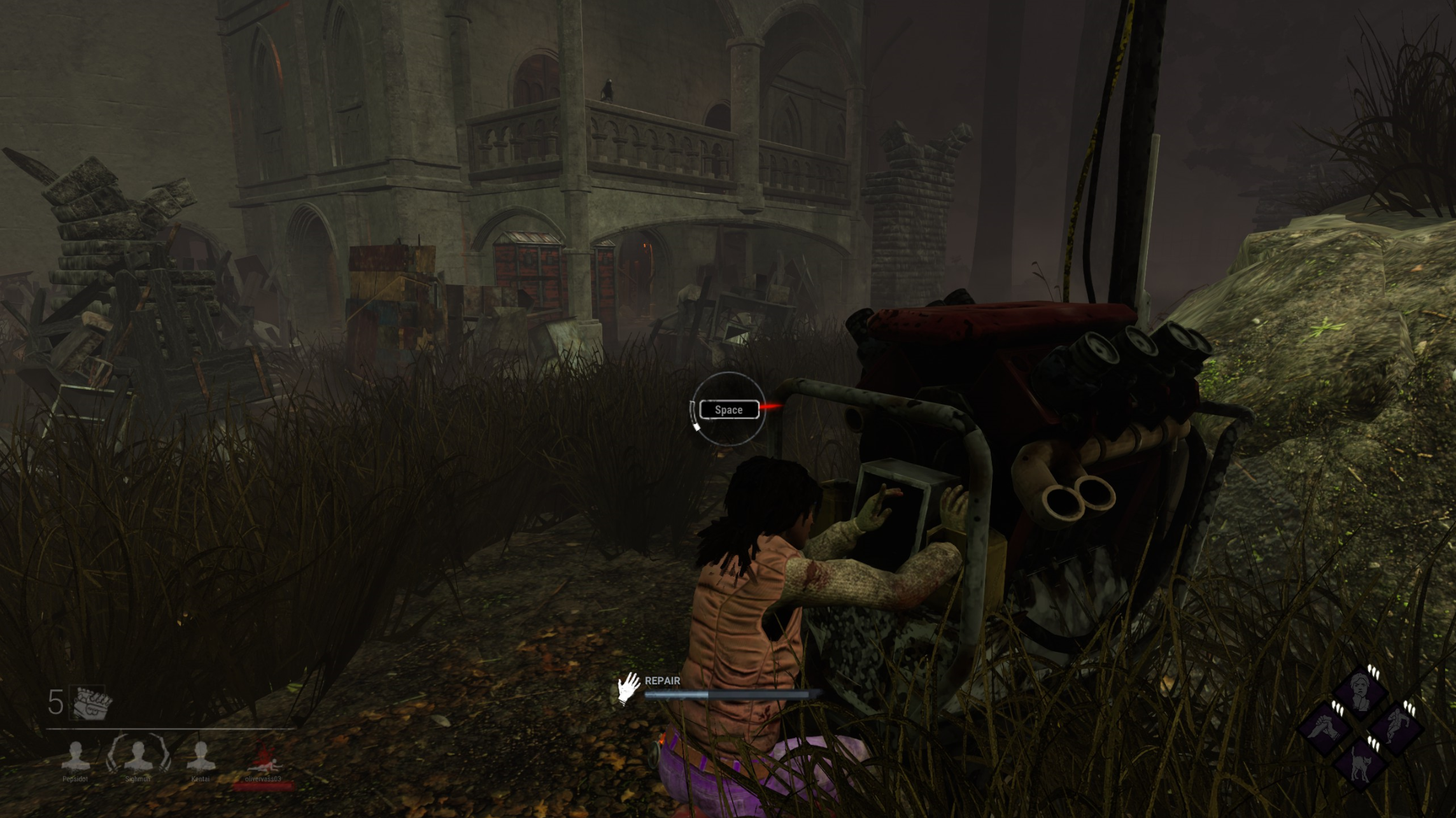
Recently with the new Midchapter, the UIs scale shrinked being way too small. I can barely focus my skill checks correctly now because every interfaces are too damn small.
Yes I know, when they released the last chapter (Silent Hill DLC), the UI was now bigger for higher resolutions but why did they reverted this feature?
I need explanation because there is nothing in the settings allowing me to scale the UI correctly.
Best Answer
-
Originally, the UI did not scale at all beyond 1080p. This meant that on any resolutions larger than 1080p, your UI wouldn't get any bigger to match, it would instead get smaller (same number of pixels but on a larger canvas).
With 4.0.0, we added 4K support for the UI, meaning that it would continue to scale for resolutions up to 4K. That way the UI would be the same size as it would be on a 1080p monitor, which is great for 4K since it would normally be a quarter of the size.
Since people had played on 1440p for years before that, though, a lot of people were used to the slightly smaller UI, with lots of people actually preferring it over the big 1080p scale UI. Due to popular demand, that was rolled back for 1440p and below while maintaining the scaling for higher resolutions like 4K.
It's one of those polarizing things where some people like it smaller, other people like it larger. We're in talks to see how we can strike a balance that everyone's happy with, but I can't make any promises just yet.
5

Answers
-
Dbd is known for having really bad graphical settings, honestly. (A resolution bar, seriously?)
You'll need to tinker around with your config for a quick fix for now. EAC will kick you out of the game every once in a while for doing so, but it won't ban you.
0 -
@Peanits The UI and skillchecks are MUCH too small for 1440p players. It's smaller than it has ever been before. It's ridiculous. Please scale the UI up more. I can't even imagine how difficult it would be to hit an Overcharge, Unnerving + Tier 2 Madness skillcheck.
 1
1