http://dbd.game/killswitch
Please Consider Fixing Ultrawide Compatibility ! :(
I, like many others, came back into dead by daylight with a brand new 21:9 ultrawide LG monitor feeling absolutely kickass, but as soon as I joined a match I was greeted with something horrific. After loading into the match I was greeted to the black bars on the sides of the screen and thought to myself, "Oh maybe there is no ultrawide support yet?", but as soon as the cinematic my character's legs were partially visible and my entire screen was zoomed in. This was nearly a year ago when I first encountered this, I now realize that it is just how Dead by Daylight combats the advantages players with ultrawide monitors gain in an.....unorthodox manner. I don't wish for ultrawide support because it really is just a permanent shadowborn, yet I feel like there are some easy workarounds. For example, either setting the native resolution for DBD to 1920x1080 and just using the black bars to cover the edges of the screen, or just simply add a resolution option in the settings. I have been playing in windowed mode using launch commands for the game to set a custom resolution for it to become slightly playable as either survivor or killer. Some characters don't even fit on the screen when browsing through the menus. For a game just finishing its 5th year anniversary, I feel like something as simple as a resolution option in the graphics settings should not be asked for....Anyways, the game has had many graphical improvements over the past years and feels more optimized than it ever has before (graphically I must add), but the ultrawide issue feels more of a burden than an investment.
Edit: Yes I know there is technically a "resolution" option in the graphic settings already, but I meant an option to change the actual output resolution/aspect ratio.
Here are just a few screenshots to show the noticeable differences:


Comments
-
ah.
the reverse stretch rez for chads.
7 -
it's like stretched, but with the same res quality and can never be changed LOL. I didn't choose this life, it was chosen for me.
0 -
Ah, yeah, this is a problem with resolution scaling which should definitely be fixed (and would also fix stretched res at the same time lmao). Don't know why it hasn't been fixed yet, tbf
4 -
The bottom image looks weird, but I can’t tell why.
0 -
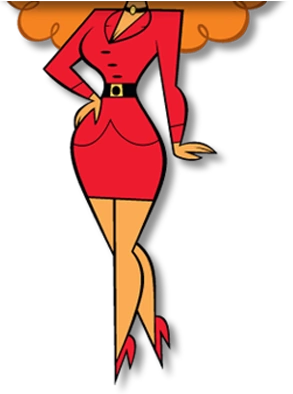
Why is Nemesis...
 6
6 -
I'd settle for ability to play letterboxed. How hard is it to add black bars on the sides?
0 -
that is the worst part about it, at first glance its fine but its slightly zoomed in. Im not really able to get screenshots for comparison LOL, sorry.
1