Once you have signed in, on the right hand side you can use the "report bug" button to be able to fully report the bug you've encountered. Thank you.
http://dbd.game/killswitch
[Bug]: PC - Various issues My Little Oni
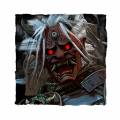
Description: When i'm starting a match from the Killer with Oni, the camera see only from mid-body downwards instead of the entire body of my enlarged oni (Video 1, 0:00s) . The second problem when I use the power of my Oni, when I take a run-up, I see my head in the middle taking up my whole view and I see nothing. (Video 1, 3:20s )
What to add in the description
1)I launch the game on the Steam
2)I'm awaiting the main menu
3)I click on the "Modifier My little Oni" button
4)I click on the "Killer" button
5)I'm starting to find a lobby
6)When i'm starting a match from the Killer with Oni, the camera see only from mid-body downwards instead of the entire body of my enlarged oni (Video 1, 0:00)
7)I'm making my match from the Oni, and I absorb blood corpuscles until to use the demonic shot power a part of the oni's head occupies the screen and it is impossible to see the map (Video 1, 3:20s).
Additional information
- Character played: Oni
- My Little Oni Mode
- Platform: PC - Steam
- Frequency of the issue: Always
- Version game: v. 7.6.2
Video:
Video 1 ⇒
When the ony is loading at the start of the match.
3,20 s, when i making the demonic shot the oni's head occupies the screen and it is impossible to see.
I hope which these two issues will be fixed very soon :)